
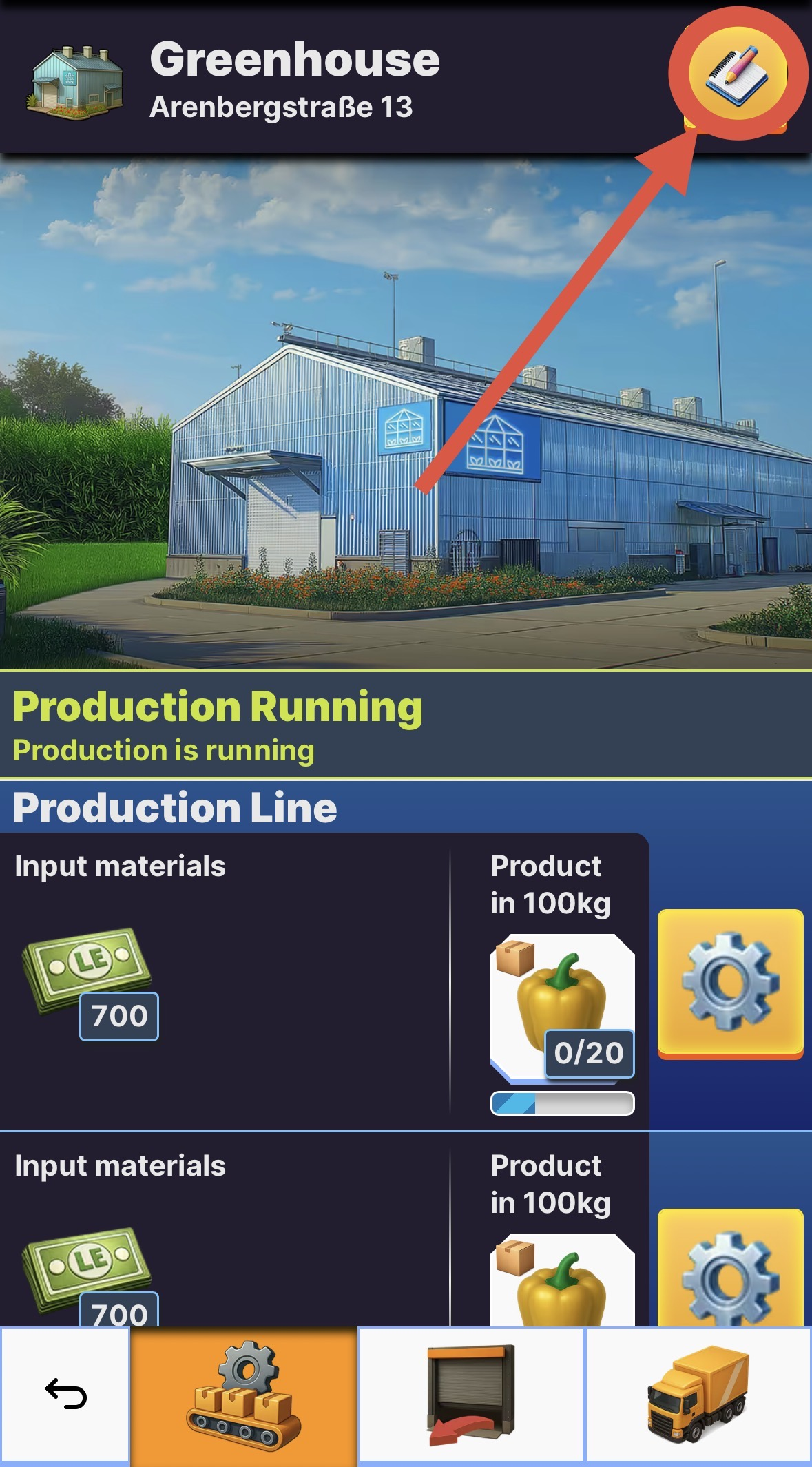
Sometimes you want to relocate a building to a new location. To do so click on a building or use the buildings overview to open the building details.
- The button next to the building name allows you to manage your building.
- Press the "Move" Button
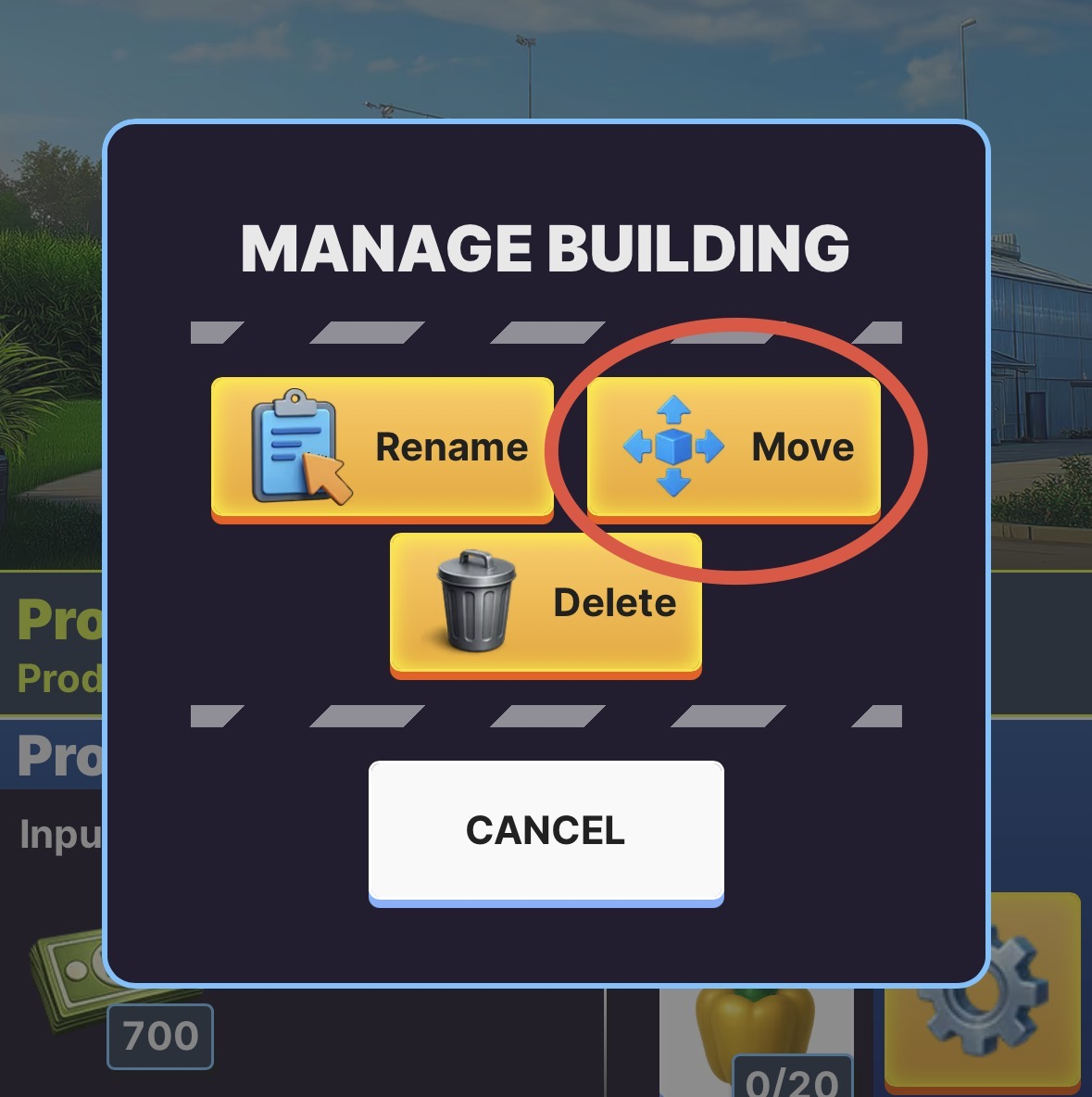
- Now you can move the building to a new location.
- ‼️Take notice of the placement rules to make sure that the building can be placed at the new location. ‼️
TIP: Moving a building isn't possible while there is still an active transport to or from the building, but ongoing upgrades or research are not affected by moving the building.