
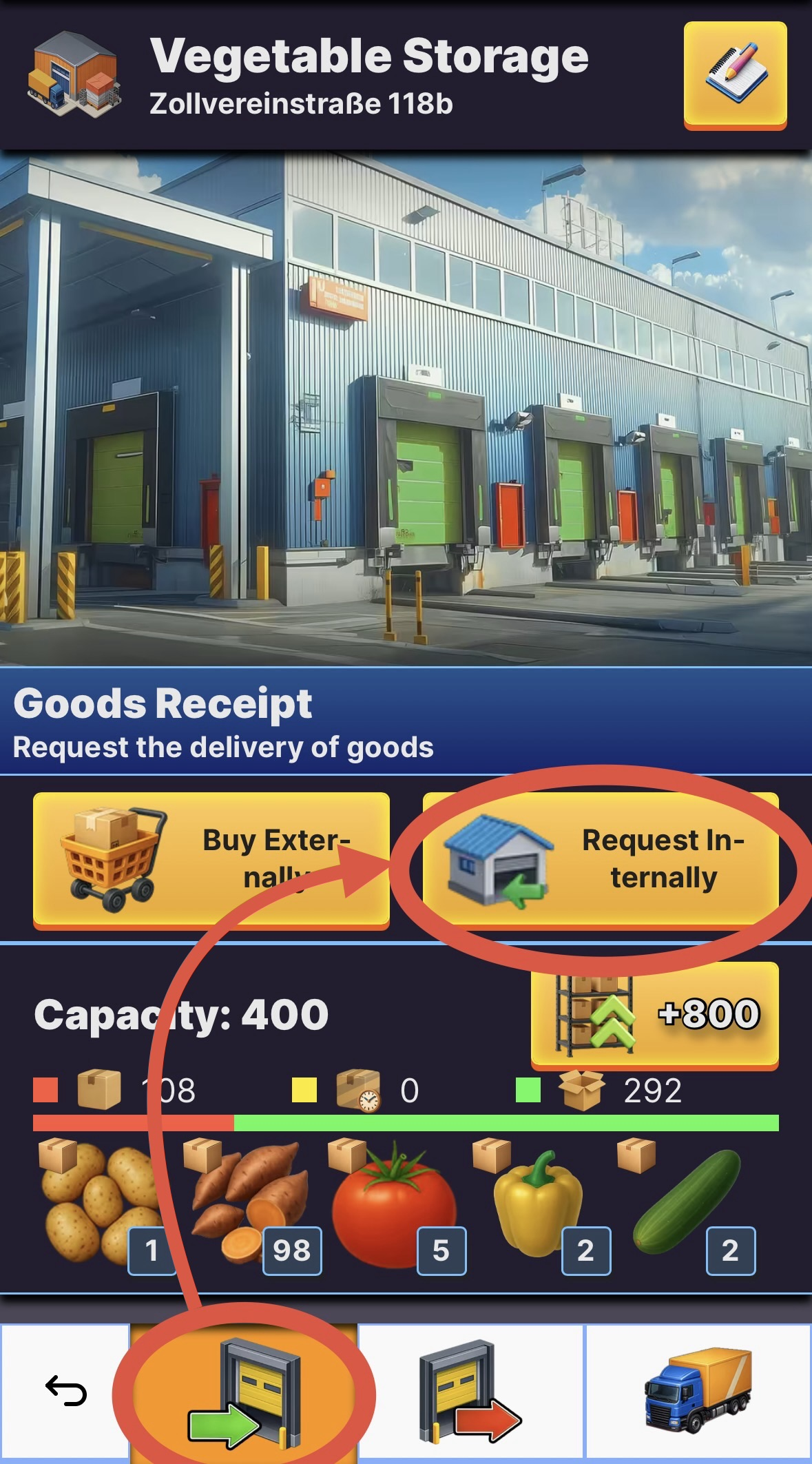
- The easiest way to send goods to a warehouse is by letting the warehouse request the goods. Open the warehouse building, you want to send goods to, by clicking it on the map or by finding it in the building overview.
- Navigate to the "Goods Receipt"-area and hit "Request Internally"
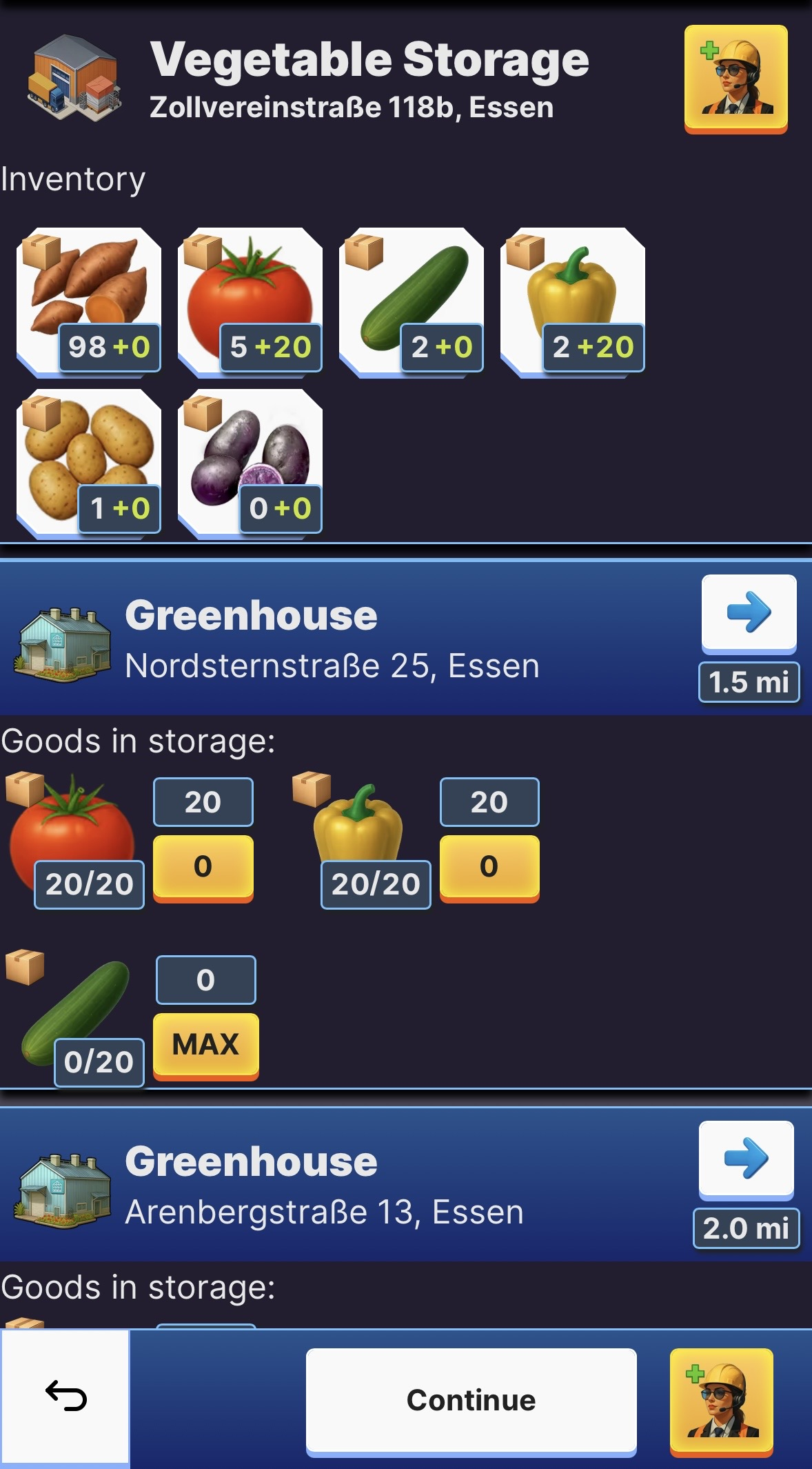
- Now you can see all goods of the fitting type, in this case vegetables, that are currently stored at other buildings. Select the type and amount of goods you want to send from certain buildings.
- Select one or multiple vehicles to task with the transport. You can request goods from multiple buildings at once, just pay attention to the required transport time.
🚛 How can I send resources to a warehouse?
Last Updated: 49d